After registering on Binance and completing identity verification, the next step is funding your account. Binance doesn't support direct bank card CNY deposits, but you can buy USDT through C2C (customer-to-customer) trading using CNY, then use USDT to buy Bitcoin or other cryptocurrencies. Download the Binance APP for easier operation -- here's a step-by-step guide.
What Is C2C Trading
C2C stands for Customer to Customer, meaning you trade directly with another person. You pay CNY to the seller, and the seller transfers USDT to your Binance account. Binance acts as a guarantor in the middle to ensure neither party gets scammed.
The whole process is similar to buying something on a marketplace: you place an order, transfer money to the seller, the seller confirms receipt, and the platform releases the crypto to your account.
Step 1: Go to the C2C Trading Page
Open the Binance APP, find "Trade" in the bottom navigation, then select "C2C" or "P2P" (different versions may use different names).
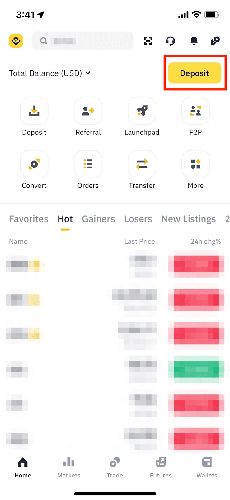
First-time C2C users may need to complete an additional security verification.
Step 2: Select to Buy USDT
On the C2C page:
- Select "Buy"
- Choose "USDT" as the currency
- Select your preferred payment method -- Alipay, WeChat, or bank card
- Enter the amount you want to buy (in CNY)
The system will automatically match available sellers, showing each seller's price and completion rate.
How to Choose a Reliable Seller
- Choose those with high completion rates (99% or above is best)
- Choose those with many completed orders (thousands of orders is more reliable)
- Price differences are usually small, so don't obsess over the lowest price
Step 3: Place the Order and Transfer
After selecting a seller, tap "Buy USDT" and confirm the order details. The page will display the seller's payment account (Alipay, WeChat, or bank card number).
Key steps:
- Open your Alipay/WeChat/banking app
- Transfer to the seller according to the information shown
- The amount must match the order exactly -- not a cent more or less
- Do not write anything cryptocurrency-related in the transfer notes
- Return to the Binance APP and tap "Payment Completed"
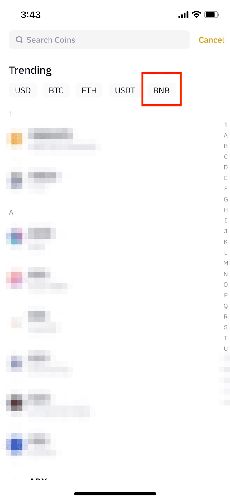
Step 4: Wait for the Seller to Release Crypto
After you tap "Payment Completed," the seller will verify whether they received your transfer. Once confirmed, the USDT will be transferred to your Binance account. This usually takes a few minutes to half an hour.
If the seller hasn't released the crypto after 30 minutes, you can file an appeal and Binance customer service will intervene.
Step 5: Start Trading
Once the USDT arrives, you can use it to buy Bitcoin, Ethereum, or other cryptocurrencies. Search for the coin you want on the Binance APP home page and select "Spot Trading."
Users who registered through our link enjoy trading fee discounts on every transaction.
Deposit Tips
Preventing Bank Card Freezes
Follow these tips when making C2C transfers to significantly reduce the risk of your bank card being frozen:
- Don't write "USDT," "Bitcoin," "cryptocurrency," or similar terms in the transfer notes
- Prefer Alipay over direct bank transfers
- Avoid frequent large transactions; a few thousand CNY at a time is safer
- Don't immediately use money you just received from someone else to buy crypto
- Choose established sellers with high completion rates; avoid new accounts
Exchange Rate Notes
C2C USDT prices are usually 1-3% higher than international market prices -- this is a normal premium. Price differences between sellers are small, so don't overthink it.
FAQ
What's the minimum purchase amount?
Generally 10-50 USDT minimum, depending on the seller's settings. That's roughly 70-350 CNY.
What if I transfer to the wrong account?
If you transferred to the wrong seller's account, immediately file an appeal and contact Binance customer service. Keep your transfer screenshots as evidence.
Why is buying USDT first recommended instead of buying Bitcoin directly?
USDT is a stablecoin with a price pegged to approximately 1 USD, so using it as an intermediary eliminates exchange rate fluctuation risk. Plus, USDT can be used to buy any coin on Binance, offering maximum flexibility.
Safety Tips
- Only trade through the C2C function within the Binance APP; don't make private transfers
- Confirm you've received the crypto before tapping "Confirm Receipt"
- Keep records and screenshots of every transaction
- If any disputes arise, contact Binance customer service immediately
- Keep the APP updated to ensure security features are working properly