After registering on Binance, you need to complete identity verification before you can deposit, trade, or withdraw. The process isn't complicated -- just prepare your ID card and follow the steps below. If you haven't installed the APP yet, download the Binance APP first, since verifying on your phone is much easier than on a computer because you'll need the camera for photos and face recognition.
Why Identity Verification Is Required
As the world's largest cryptocurrency exchange, Binance must comply with anti-money laundering regulations in various countries. Identity verification (KYC, Know Your Customer) is a standard procedure in the financial industry -- not just Binance, but all legitimate exchanges require it.
After completing verification, you can:
- Deposit and withdraw cryptocurrency
- Buy and sell cryptocurrency with fiat currency (such as CNY)
- Conduct spot and futures trading
- Access higher withdrawal limits
Without verification, your account is basically limited to viewing market data and can't perform any operations.
Step 1: Go to the Verification Page
Open the Binance APP, tap the profile icon in the top left, find "Identity Verification," and tap in.
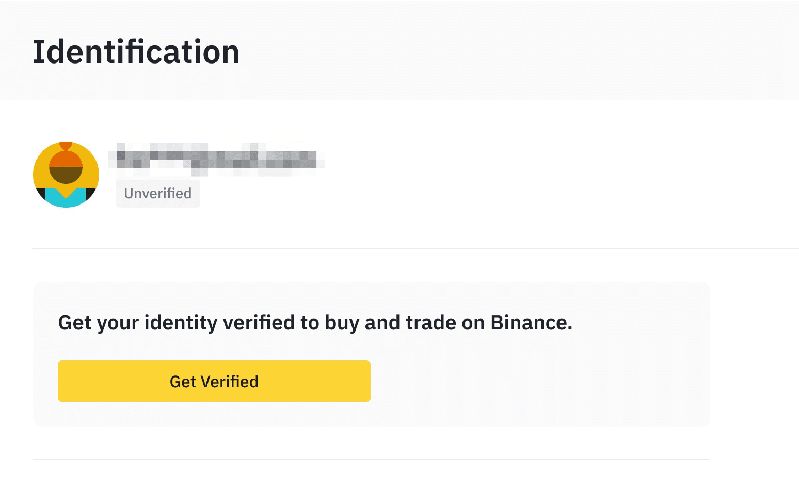
The page will show your current verification status. Newly registered accounts will show "Unverified" -- tap "Verify Now" to begin.
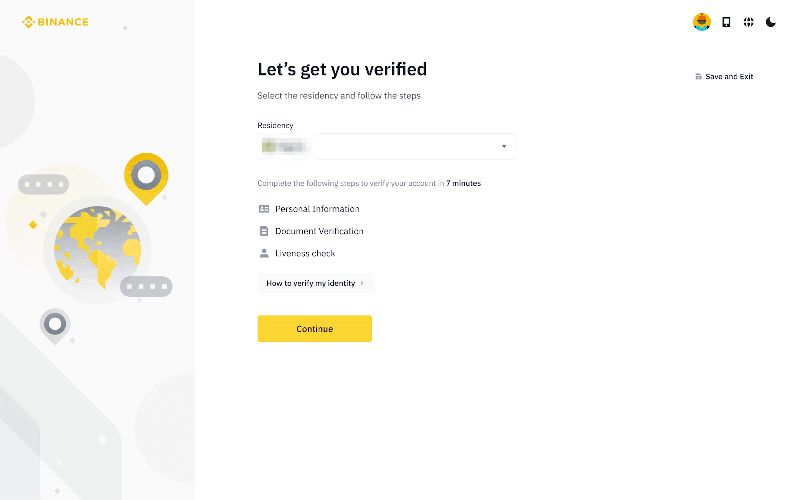
Step 2: Select Nationality and Document Type
The system will ask you to select your nationality. Choose "China," then select the document type:
- ID card (recommended) -- the most commonly used, with the highest approval rate
- Passport -- also works, suitable for frequent travelers
- Driver's license -- supported in some countries, but ID card is recommended for domestic users
Select and proceed to the next step.
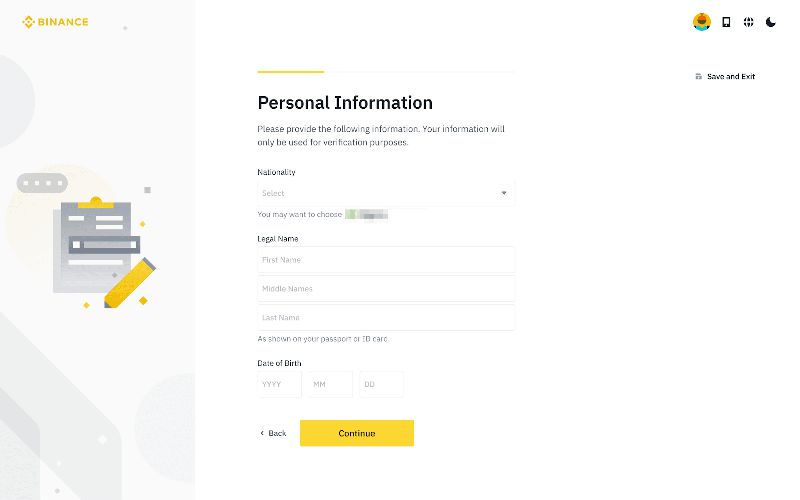
Step 3: Upload Document Photos
You need to photograph the front and back of your ID card:
- Place the ID card on a flat, well-lit surface
- Align and photograph the ID card, ensuring all four corners are within the frame
- The photo must be clear, with no glare, obstructions, or blur
Common Photo Failure Reasons
- Blurry text -- hold your hand steady before shooting
- Glare on the ID card -- adjust the angle to avoid light reflection
- Card extends beyond the frame -- step back to capture it fully
- Using a photocopy -- you must use the original document
Step 4: Face Recognition
After the document photos are successfully uploaded, the next step is face recognition. The APP will open the front camera, and you'll need to:
- Face the camera directly with your face centered in the frame
- Follow the prompts to perform actions (blink, turn head, etc.)
- Ensure adequate lighting; avoid backlighting
Face recognition usually completes in just a few seconds. If it fails, it's typically a lighting issue -- move to a brighter location and try again.
Step 5: Wait for Review
After submission, the system will automatically review your application. In most cases, it passes within minutes. During peak periods, it may take a few hours.
You'll receive a notification once approved, after which you can deposit and trade normally. Users who registered through our recommended link enjoy fee discounts on every trade after verification.
What to Do If Verification Fails
If verification is rejected, here are common reasons and solutions:
| Failure Reason | Solution |
|---|---|
| Unclear photo | Retake in a well-lit environment |
| Document info mismatch | Check that the entered name matches the document |
| Face recognition failed | Remove glasses and hat, ensure good lighting |
| Expired document | Use a valid, non-expired document |
| System busy | Try again in a few hours |
If you fail multiple times, contact Binance's online customer support for assistance.
FAQ
How long does the verification review take?
Most complete within minutes; in extreme cases, it may take 1-3 business days.
Is the verification information secure?
Binance uses bank-grade encryption technology to protect user data and complies with data protection regulations in various countries.
Can I use someone else's ID for verification?
No. Binance uses face recognition to confirm it's the actual person. Using someone else's documents will result in verification failure and could lead to account suspension.
Safety Tips
- Only upload document photos on the official Binance APP or website
- Never send ID photos to anyone claiming to be "Binance customer service"
- After verification, it's recommended to update to the latest APP version to ensure security features are current
- Enable two-factor authentication to protect your account