Binance Pay is Binance's cryptocurrency payment and transfer feature — think of it as the "PayPal" of the crypto world. Through Binance Pay, you can transfer crypto to other Binance users with zero fees, and pay at partner merchants using cryptocurrency. Register on Binance to activate this feature for free.

What Can Binance Pay Do
Core features include:
- User-to-user transfers: Send crypto to any Binance user, zero fees, instant arrival
- Merchant payments: Pay at online and offline merchants that accept Binance Pay
- Receive payments: Generate QR codes or payment links for others to send you money
- Group payments: Split bills or send red packets to groups
Unlike regular on-chain transfers, Binance Pay operates within Binance's internal system — no blockchain network, no miner fees, no waiting for confirmations, virtually instant.
How to Activate Binance Pay
- Open the Binance APP, find the "Pay" entry on the home page
- First-time users will be prompted to set a nickname
- If KYC isn't completed, you'll need to verify identity first
- Setup complete — start using
How to Transfer with Binance Pay
Via Pay ID
- Open Binance Pay, tap "Send"
- Enter the recipient's Pay ID, phone number, or email
- Select the currency (USDT, BTC, BNB, etc.)
- Enter the amount
- Confirm and enter payment password
Via QR Code
- Have the recipient show their Binance Pay QR code
- Scan the code to auto-fill their info
- Select currency and amount, confirm
Via Link
Generate a Pay link to share via messaging apps like Telegram or WhatsApp.
Binance Pay Fees
The biggest advantage — personal transfers are completely free, regardless of amount or currency.
For merchants, Binance may charge the merchant side, but users pay nothing.
| Transfer Method | Fee | Arrival Time | Scope |
|---|---|---|---|
| Binance Pay | Free | Instant | Binance users only |
| On-chain transfer | Miner fee | Minutes to hours | Any address |
Supported Currencies
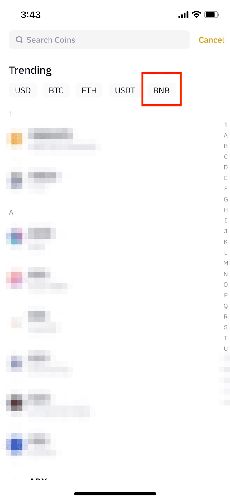
Binance Pay supports dozens of cryptocurrencies including USDT, BTC, ETH, BNB, USDC, and more. For daily transfers, stablecoins like USDT are recommended to avoid price volatility.
Security Tips
- Double-check recipient info before sending — crypto transfers are irreversible
- Don't scan unknown QR codes
- Set a separate payment password, different from login password
- Regularly check transaction history
- Don't share your receiving QR code with strangers
Download the Binance APP to experience Binance Pay's convenient transfers.
FAQ
Q: Are there transfer limits?
A: Yes. Limits depend on your KYC level. Advanced verification significantly increases limits.
Q: Can I reverse a mistaken transfer?
A: No. Contact the recipient to negotiate a return. Always verify info before sending.
Q: Can someone without a Binance account receive Pay transfers?
A: No. Both parties must be registered Binance users.
Q: What's the difference between Binance Pay and C2C?
A: C2C involves fiat-to-crypto trading with bank transfers; Binance Pay is direct crypto-to-crypto transfers and payments without fiat involvement.