Registering on Binance is actually very simple -- the entire process takes less than five minutes. If you haven't installed the APP yet, you can download the Binance APP first, since operating on your phone is more convenient than on a computer. Here's every step spelled out clearly -- just follow along.
Step 1: Open the Registration Page
Open the Binance APP on your phone or visit the Binance website in your browser, find the "Register" button and tap it. The page will ask you to choose between email or phone registration.
Email registration is recommended, as some domestic phone numbers may not receive verification texts. Gmail, Outlook, and QQ Mail all work fine.
Step 2: Fill In Registration Information
On the registration page, you need to fill in:
- Enter your email address (or phone number)
- Set a password -- must contain uppercase letters, lowercase letters, and numbers, at least 8 characters
- If you have a referral code, enter it to enjoy trading fee discounts
Don't make the password too simple. Avoid birthdays, sequential numbers, or other easily guessed patterns. It's recommended to use a password manager to generate and store a random password.
Step 3: Complete Verification
After tapping "Register," the system sends a verification email to the address you provided. Open the email, find the 6-digit verification code, and enter it on the registration page within 30 minutes, then confirm.
If you don't receive the email, check your spam folder. If it's still not there, tap "Resend" and try again.
Step 4: Set Up Security Verification
After successful registration, it's strongly recommended to immediately set up two-factor authentication (2FA). You can choose:
- Google Authenticator: Download the Google Authenticator APP and scan the code to bind it
- SMS Verification: Bind your phone number to receive verification codes
Enabling both is the most secure option. Every login and operation will require a verification code, so even if your password is leaked, others can't access your account.
Step 5: Start Using Binance
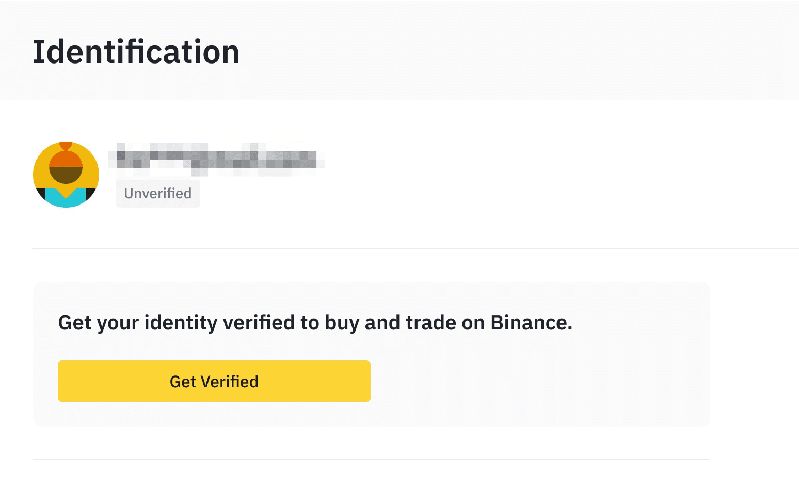
You can log in right after registration. However, to trade you'll need to complete identity verification (KYC). This requires uploading ID photos and doing face recognition, which typically takes a few minutes to half an hour for approval.
Users who registered through our link automatically have the referral code applied and enjoy permanent trading fee discounts on every transaction.
Registration FAQ
Do I need a VPN to register?
APP registration doesn't require one -- just use it directly. The web version may sometimes require one depending on your network environment.
How many accounts can one ID register?
Only one. Binance verifies your identity through KYC, and duplicate registrations will be rejected.
How soon after registration can I start trading?
You can view market data immediately after registration. To deposit and trade, you need to complete identity verification first -- once verified, you can start trading right away.
Safety Tips
- Only register through official Binance channels; don't click suspicious links
- Don't reuse passwords from other platforms
- Enable two-factor authentication immediately after registration
- Never share your password or verification codes with anyone -- Binance support will never ask for your password
- It's recommended to download the official APP for a more secure experience than the web version